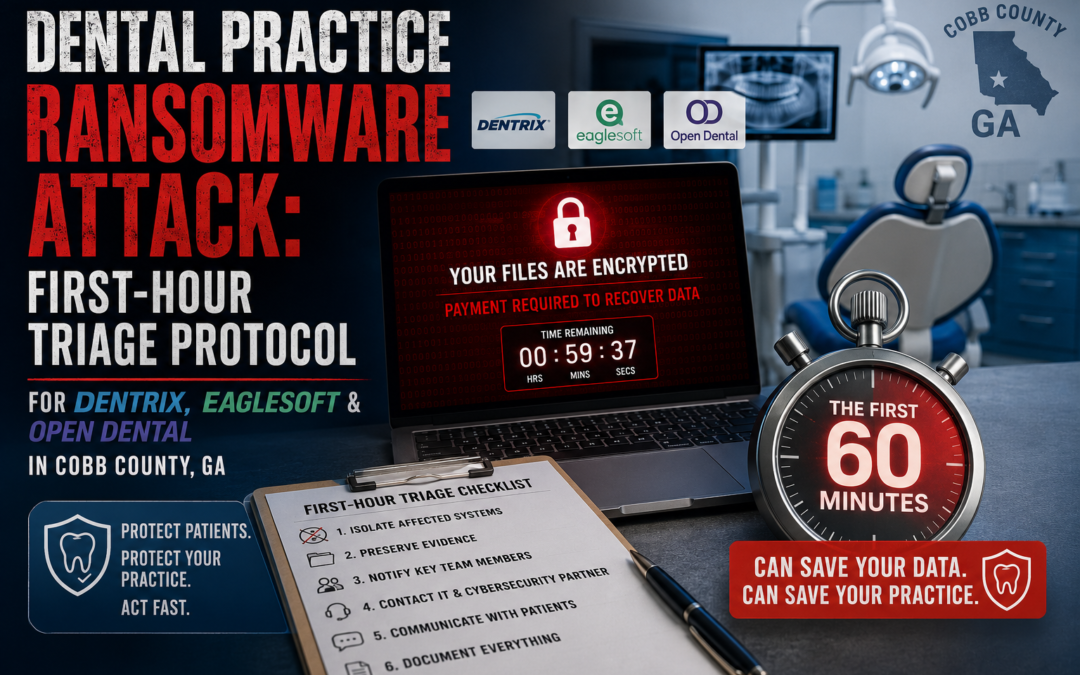
Executive Triage Summary: If operatory and front-desk terminals are throwing "Unable to connect to database server" errors and you're finding files appended with .locked, .lockbit, or .medusa on your server or NAS, you are inside an active encryption event. Physically unplug every Ethernet cable, leave all machines powered ON, do not run antivirus, and stop the relevant database service (net stop "Dentrix Service", the Eaglesoft stop utility, or net stop mysql) to freeze write cycles — then call your cyber insurance carrier and the FBI Atlanta Field Office at (770) 216-3000 before you call your software vendor.
Key Takeaways:
- Unplug physical network cables, not Wi-Fi toggles or Control Panel disconnects — this is the only action that reliably stops cloud sync agents from propagating encrypted files.
- Never run a deep antivirus scan on the affected server — the resulting disk I/O write-collisions are a leading cause of unrecoverable database header corruption.
- HIPAA presumes a breach the moment ePHI is encrypted, even with zero evidence of exfiltration, unless you complete and document a formal four-factor risk assessment.
- A single eight-hour shutdown costs a standard practice roughly $22,000, scaling to $110,000 across a five-day clinical week if containment fails.
What Are the First Signs of a Ransomware Attack on Dental Practice Software?
A clean-database failure is mechanical and uniform; a ransomware failure is sudden, simultaneous, and cosmetic. The fastest way to tell them apart is checking three systems at once: practice management, imaging, and the raw file directory.
Front-desk and operatory terminals attempting to mount Dentrix, Patterson Eaglesoft, or Open Dental databases return fatal connection errors — "Unable to connect to database server" or "Database file corrupted" — across every workstation simultaneously, not just one. Digital imaging software (Dexis, Schick, Apteryx) fails to resolve file pathways and shows blank screens instead of intraoral or panoramic radiographs. The confirming step is a direct look at the server or NAS: clinical database directories and imaging folders will show files renamed with high-entropy extensions such as .medusa, .lockbit, or .locked. That extension is your fastest indicator of which threat actor's encryptor is running and should be the first detail you give to your incident responder and insurance carrier.
What Do the Windows Event Logs Show During an Active Attack?
Two event IDs tell the entire story of how the attacker got in and what they did once inside.
Security Event ID 4625 (failed logon) spikes into the hundreds or thousands in the hours before encryption begins. This is the signature of an automated brute-force campaign against RDP port 3389, which is frequently left exposed on the local router by legacy IT vendors who wanted remote access for billing or scheduling support. System Event ID 7045 (new service creation) marks the moment the ransomware binary installs itself as an administrative-level system service. The binary is almost always staged in a volatile, hidden path like AppData\Temp, using randomized names built to look like legitimate system processes — patterns such as %TEMP%\svc{random}.exe or %TEMP%\tgytutrc{4 digits}.exe. Pull both event logs before you touch anything else; they are the backbone of your forensic timeline and your cyber insurance claim.
How Do You Stop Dentrix, Eaglesoft, and Open Dental Databases During an Attack?
Each platform runs a different backend engine, and the correct stop command depends on which one you're running.
| Metric / Parameter | Henry Schein Dentrix | Patterson Eaglesoft | Open Dental |
|---|---|---|---|
| Backend Database Engine | FairCom c-treeACE (v11.5/v12) | SAP SQL Anywhere (Sybase) | MySQL / MariaDB |
| Primary Process Binaries | ctreesql.exe, ctreeace.exe |
dbsrv17.exe, dbeng17.exe |
mysqld.exe, mariadbd.exe |
| Default Network Ports | 5712 (ISAM), 6759 (SQL) | 2638 (TCP/IP client) | 3306 (standard) |
| Standard Service Name | "Dentrix Service," "FairCom Server" | "Patterson Database Server," "SQL Anywhere" | "MySQL," "MariaDB," "OpenDental" |
| Active Database Files | .dat, .idx |
.db, .log |
.ibd, .frm |
| Image/Asset Storage | Local \Doc or \Images path |
\SmartDoc or defined file share |
C:\OpenDentImages (flat-file) |
Dentrix (FairCom c-treeACE). Older G5/G6 deployments relied on "Data Camouflage" (CWE-327), a weak obfuscation scheme rather than true encryption, plus hardcoded default credentials — both of which drew FTC enforcement attention historically. Modern G7.x installs use a more secure c-tree Server but are still exposed to ransomware that locks open file handles. Stop the service first; if it hangs under active write load, kill the process tree directly:
net stop "Dentrix Service"
net stop "FairCom Server"
tasklist | findstr ctree
taskkill /F /IM ctreesql.exe
taskkill /F /IM ctreeace.exe
Patterson Eaglesoft (SAP SQL Anywhere). Eaglesoft has historically required full local administrator rights for client workstations to function, and Patterson support has at times advised disabling Windows UAC to suppress application errors — both practices that let a payload execute with elevated privileges and no security prompt. Default read credentials (dba / sql) are publicly documented and commonly used for lateral exfiltration. Eaglesoft v21+ adds native AES-256 encryption, but recovery requires coordinating decryption directly with vendor support before any server migration. To halt the engine cleanly and preserve .db and .log files:
PattersonServerStatus.exe -stopOpen Dental (MySQL / MariaDB). The open relational structure is easy to query but equally easy for automated ransomware scripts to find — the default data path C:\mysql\data and the flat-file image directory C:\OpenDentImages are both common targets. Multi-location practices running OpenDentalReplicationService must stop replication immediately, or encrypted transactions will sync to every secondary office server. Isolate the engine with:
net stop mysql
net stop mariadb
net stop OpenDentalReplicationService
Why Is Running Antivirus During an Active Attack Dangerous?
Because it accelerates the encryption it's trying to stop. Ransomware is heavily multi-threaded and optimized for encryption speed; an exhaustive antivirus scan adds intense, competing disk I/O on top of that. The resulting write-collisions on already-open database files frequently corrupt the underlying SQL or FairCom database headers beyond repair by any standard recovery utility. Insider Nuance: the instinct to "fight back" with a scan is the single most common way a recoverable incident becomes a total-loss one — the correct first move is stillness, not scanning.
How Much Does Ransomware Downtime Cost a Dental Practice?
Total hourly downtime cost ($C_{\text{downtime}}$) is evaluated as the mathematical sum of three distinct components: idle clinical payroll ($C_{\text{labor}}$), lost scheduling production ($C_{\text{production}}$), and data/regulatory liability exposure ($C_{\text{penalty}}$):
$C_{\text{downtime}} = C_{\text{labor}} + C_{\text{production}} + C_{\text{penalty}}$
$C_{\text{downtime}} = \$450 + \$1{,}800 + \$500 = \$2{,}750/\text{hr}$
For a standard eight-hour clinical day, losses mount rapidly across the entire treatment floor parameter array:
$C_{\text{daily}} = \$2{,}750 \times 8 = \$22{,}000$
If local network arrays and server architecture cannot be contained within the week, the long-term impact tracks as:
$$C_{\text{weekly}} = \$2{,}750 \times 40 = \$110{,}000$$
| Cost Component | Hourly Rate | Daily (8 hrs) | Weekly (40 hrs) | Driver |
|---|---|---|---|---|
| Idle Labor (C_labor) | $450 | $3,600 | $18,000 | Fixed salaries for staff unable to work |
| Gross Revenue Drain (C_production) | $1,800 | $14,400 | $72,000 | Lost production, cancellations, unfiled claims |
| Regulatory & Legal (C_penalty) | $500 | $4,000 | $20,000 | Forensic retainers, legal counsel |
| Total Practice Loss | $2,750 | $22,000 | $110,000 | Total uncontained downtime cost |
Will Cloud Backup (OneDrive, Dropbox, Google Drive) Save Your Practice?
No — and treating it as your recovery plan is what destroys your last clean copy. Real-time sync tools cannot distinguish a legitimate file update from an encryption event. The sequence runs the same way every time: the ransomware rewrites file headers at high speed, the sync agent reads those rewrites as normal user edits, it immediately uploads the newly encrypted versions, and within minutes it overwrites your last clean cloud copies. Because these tools track continuous file state rather than isolated, point-in-time snapshots, both your local and cloud-mapped data end up encrypted with no clean restoration point left anywhere. Insider Nuance: "we have OneDrive, so we're backed up" is the most common false sense of security in dental IT — physical network isolation in the first minutes is what actually stops this propagation, not the existence of a sync folder.
What Should You Do — and Avoid — in the First Hour?
| Protocol Stage | Mandatory Action | Avoid | Why |
|---|---|---|---|
| Network Isolation | Physically unplug Ethernet from servers, workstations, switches; disable Wi-Fi cards | Software-based disconnects via Control Panel | Only physical disconnection reliably blocks lateral movement and cloud sync |
| Power Control | Leave infected systems powered ON | Shutting down or rebooting any machine | Powering off erases volatile RAM holding active encryption keys and forensic artifacts |
| Diagnostic Scanning | Keep systems still | Running deep/aggressive antivirus on the database server | Disk I/O write-collisions corrupt database headers beyond repair |
| Process Control | Stop database services via admin command line | Manually renaming or "fixing" files with unverified utilities | Halting services freezes write cycles and preserves file integrity |
| Crisis Management | Contact cyber insurance, legal counsel, FBI Atlanta first | Contacting your core software vendor first | Vendor support teams systematically deflect environmental security responsibility |
What Are Your HIPAA and Georgia GPIPA Reporting Obligations?
A ransomware event touching patient records is a regulated legal event the moment it happens, not just a technical incident.
Under the HIPAA Breach Notification Rule, ransomware that encrypts electronic protected health information is presumed to be a reportable breach unless the practice completes and documents a formal four-factor risk assessment demonstrating a low probability that PHI was compromised. Breaches affecting 500 or more individuals require notification to HHS OCR and to affected media outlets without unreasonable delay and no later than 60 days from discovery; smaller breaches are logged and reported to OCR annually. Insider Nuance: many practices wrongly assume that if there's no proof data left the network, they have no notification obligation — the presumption runs the opposite direction, and the burden of proof sits with the practice.
Georgia practices are separately bound by the Georgia Personal Identity Protection Act (GPIPA), codified at O.C.G.A. §§ 10-1-910 through 10-1-912, which requires notification to affected Georgia residents "in the most expedient time possible and without unreasonable delay." Insider Nuance: GPIPA's trigger is the residency of the affected patients, not the physical location of the practice or the attacker — a satellite office syncing patient data from a Canton or Woodstock location can trigger Georgia obligations even if the breached server sits in another state. This summary is informational, not legal advice; confirm specific notification timing and scope with counsel for your practice's facts.
Who Do You Call First in Cobb County, Georgia?
| Agency | Contact | Address | Reporting Role |
|---|---|---|---|
| FBI Atlanta Field Office | (770) 216-3000 / (404) 679-9000 | 3000 Flowers Road South, Atlanta, GA 30341 | Primary federal reporting body for cyber extortion and ransomware tracking |
| HHS OCR — Southeast Region | (800) 368-1019 | 61 Forsyth Street SW, Suite 16T70, Atlanta, GA 30303 | Mandatory federal HIPAA breach reporting portal |
| GEMA/HS | (404) 635-7200 | 935 United Avenue SE, Atlanta, GA 30316 | State cyber incident reporting under House Bill 156 |
| Cobb County Sheriff's Office | (770) 499-4600 | 185 Elizabeth Street, Marietta, GA 30060 | Local incident record required for cyber insurance claims |
| Cherokee County Sheriff's Office | (678) 493-4200 | 498 Chattin Drive, Canton, GA 30115 | Cobb-Cherokee border / Woodstock-Canton satellite offices |
| Canton Police Department | (770) 720-4883 | 151 Elizabeth Street, Canton, GA 30114 | Municipal reporting for northern satellite clinics |
Isolate Your Infrastructure with IT Emergency Room
A practice management server going dark on the morning schedule is not a help-desk ticket — it's a forensic event with a 60-minute window before the damage becomes permanent. IT Emergency Room operates as the Cobb County Tier-3 on-site escalation unit for exactly this scenario: physical network isolation, database service containment across Dentrix, Eaglesoft, and Open Dental, RAM-preserving forensic handoff, and direct coordination with your cyber insurance carrier and counsel. If your terminals are showing connection errors right now, stop reading and call the emergency response line at (678) 439-9501 before you touch another keyboard.