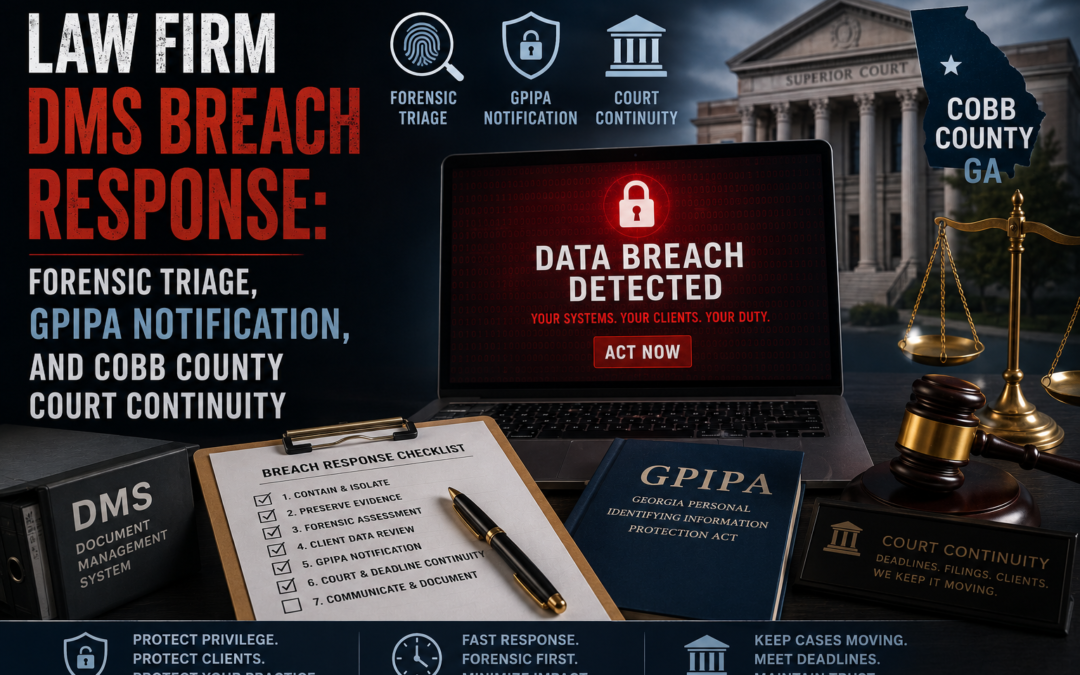
Executive Triage Summary: If your firm is seeing "network path or database instance unavailable" errors alongside unfamiliar inbox forwarding rules, you have an active compromise — isolate the affected endpoints from the network immediately, but do not restore files directly on the primary server. Preserve Windows Security Log Event IDs 4624 and 4663 before any remediation, because under O.C.G.A. § 10-1-912 your notification clock starts at unauthorized access, not confirmed misuse, and destroyed logs force a worst-case breach declaration.
Key Takeaways:
- Isolate first, restore never (in hour one): disconnecting the compromised segment preserves the forensic chain of custody that proves which client files were and weren't touched.
- GPIPA notification window: ~30 days, with third-party IT/forensic vendors legally required to alert the firm within 24 hours of discovering a breach on systems holding the firm's data.
- 10,000 Georgia residents is the statutory trigger for mandatory notification to the Georgia Attorney General and all three national credit bureaus.
- A single skipped step — overwriting metadata during a panicked file restore — can convert a contained incident into a full-scale compromise declaration under state breach-notification law.
What Are the First Signs of a Law Firm Document Management System Breach?
The earliest visible symptom is almost always a wave of "Network path or database instance unavailable" errors inside Thomson Reuters Elite, Clio, ProLaw, NetDocuments, or iManage Cloud. This means underlying database links have been severed or encrypted, or that local file handles are being monopolized by an unauthorized duplication process actively exfiltrating data.
Simultaneously, security monitoring tools typically flag a spike in outbound data volume leaving the core network — the signature of bulk exfiltration in progress. Email administrators should check for unauthorized external inbox rules silently forwarding mail to spoofed look-alike domains (for example, [firmname]-archive.com), which let an attacker monitor the firm's incident triage conversations in real time. Backup appliances and NAS units are frequent secondary targets, since destroying recovery options forces compliance with extortion demands.
How Do Investigators Trace Lateral Movement in a Compromised Windows Environment?
The primary forensic source is Windows Security Log Event ID 4624, Logon Type 3 (Network Logon). This event fires every time an account accesses a shared folder or case database from a remote endpoint, and during active lateral movement it populates in rapid succession across multiple hosts.
Each entry records the security identifier (SID), account name, source IP address, and workstation name. The single highest-value anomaly to hunt for is a hostname-to-IP mismatch — a legitimate local workstation name paired with an external or unrecognized IP — which is a strong indicator of NTLM relay or credential-harvesting activity. Investigators correlate related sessions across the environment using the semi-unique Logon ID, allowing a single intrusion to be traced across every system it touched.
What Does Event ID 4663 Prove About Document Access?
Event ID 4663 ("An attempt was made to access an object") is the log that confirms whether a specific discovery file, contract, or PII-bearing document was actually opened or modified — not just listed. It only generates if the target directory has a SACL configured and Object Access auditing enabled, so confirm this is on before assuming the data is unavailable.
The event identifies the exact file accessed, the process name that touched it (legitimate tools like notepad.exe, or an unauthorized administrative script), and the specific operation performed — ReadData versus WriteData. Because 4663 sits between the handle-open event (4656) and handle-close event (4658), analysts use the shared Handle ID to tie a sequence of file reads back to the exact user session captured in Event ID 4624.
Which Terminal Commands Should IT Run in the First Hour of Triage?
Run these three commands first, before touching anything else on the affected systems — each maps to a distinct attacker behavior:
Get-InboxRule -IncludeHiddenQueries mailboxes directly, surfacing forwarding rules hidden from the standard Outlook UI — this is how attackers monitor your incident response in real time.
netstat -anbLists every active network connection alongside the exact executable that opened the socket, exposing live connections to command-and-control infrastructure.
Get-ADUser -Filter * -Properties LastLogonDateAudits Active Directory for anomalous logon timing and unauthorized or dormant accounts created for persistence.
| Command | Key Flags | Target Artifact | Threat Mapping |
|---|---|---|---|
Get-InboxRule |
-IncludeHidden |
Hidden mailbox forwarding rules | External communication interception |
netstat |
-anb |
Active sockets + owning executable | Live command-and-control connections |
Get-ADUser |
-Filter * -Properties LastLogonDate |
Anomalous AD logon activity | Compromised credentials, persistence accounts |
Does a Cloud-Based DMS Protect You If a Workstation Is Compromised?
No. This is the single most dangerous myth in legal IT, and vendors lean on it heavily: a breached endpoint is treated as "contained" because the cloud container itself wasn't penetrated. In practice, local integrations routinely cache unencrypted document copies in workstation profile directories — often called "echo folders" or local draft paths — for offline access and faster rendering.
If an attacker hijacks a single endpoint's active session cookie, they inherit that user's live cloud privileges and can pull records straight from the DMS web portal without ever triggering a server-side alert. Any incident response plan that stops at "the cloud wasn't breached" is incomplete.
| Platform | Local Cache Path | Diagnostic Log Path | Registry Root | Cache Behavior |
|---|---|---|---|---|
| NetDocuments (ndOffice) | C:\Users\<USER>\ND Office Echo\ |
...\AppData\Local\NetDocuments\Logs\ |
HKCU\Software\NetVoyage\NetDocuments |
Logs check-in/out and upload events |
| iManage Work | %AppData%\Roaming\iManage\Work\Recent\ |
...\AppData\Local\iManage\Work\Logs\ |
HKCU\Software\iManage\Work\10.0\Client |
Auto-saves opened docs for offline use |
| Clio Manage (Clio Drive) | User-defined Clio Desktop folder | Browser storage / local diagnostics | App config files | Allocates 20 GB default local cache |
| ProLaw (contentCrawler) | C:\Program Files (x86)\DocsCorp\contentCrawler\Data\ |
Local system DB + execution logs | MS SQL service config | Caches docs during OCR/compression |
What Are Georgia's GPIPA Notification Requirements After a Breach?
The Georgia Personal Identity Protection Act (GPIPA), codified at O.C.G.A. § 10-1-910 through § 10-1-912, applies to any entity operating in Georgia that handles personal information — and it triggers on unauthorized acquisition of unencrypted data, regardless of whether misuse is ever confirmed.
Covered personal information means a first name or initial plus last name combined with an unencrypted, unredacted identifier sufficient to enable identity theft. There is no statutory day-count, but Georgia regulatory expectations treat "most expedient time possible, without unreasonable delay" as roughly a 30-day outer bound. If your forensic vendor or MSP discovers the breach on systems holding your data, they are required to notify your firm within 24 hours — that notice is what starts your own compliance clock.
| Notification Category | Trigger | Timeframe | Method |
|---|---|---|---|
| Direct individual notice | Unauthorized acquisition of unencrypted PII | ~30 days, most expedient time possible | Written letter or electronic notice |
| Third-party custodian notice | Breach on systems holding firm data | Within 24 hours of discovery | Direct alert to the firm |
| Attorney General notice | Affects >10,000 GA residents | Without unreasonable delay | Written report, full detail |
| Consumer reporting agencies | Affects >10,000 GA residents | Without unreasonable delay | Notice to Equifax, Experian, TransUnion |
| Substitute public notice | Cost >$50,000 or class >100,000 | Coordinated with primary notice | Website posting, email, statewide media |
The insider nuance most businesses miss: if notification costs exceed $50,000 or the affected group tops 100,000 residents, GPIPA permits substitute notice (conspicuous website posting plus statewide media disclosure) instead of individual mailings — but only above that threshold. Smaller breaches don’t qualify for the shortcut and require direct written or electronic notice to every affected individual.
This section is general regulatory information, not legal advice. Sanctions and breach-notification exposure should be reviewed with qualified counsel before any payment or disclosure decision is made.
Will Cyber Insurance Actually Cover My Ransomware Downtime?
Often only partially. Many cyber policies carry sublimits that cap payouts for ransomware, wire fraud, or social engineering events at a fraction of the policy’s headline limit — even when the base policy advertises broad coverage. Adjusters frequently push back on business-interruption losses tied to slow decryption, arguing they fall under a restrictive ransomware sublimit rather than the policy’s main limit.
If a carrier tries to apply a narrow sublimit, the practical move is to have coverage counsel evaluate whether the loss instead qualifies under a broader, non-sublimited category — such as Extra Expense or System Disruption coverage — since those categories are often unrestricted by the ransomware-specific cap.
Insurance coverage determinations are policy-specific and fact-dependent. This is general information, not a coverage opinion — have your policy reviewed by coverage counsel before relying on any characterization above.
Should You Pay the Ransom? What the Data Actually Shows
Paying is frequently a financial trap, not a fix. Threat-actor decryption tools are slow and unreliable — keys fail to fully restore data 30% to 40% of the time, forcing a manual rebuild regardless of payment. Roughly 80% of organizations that pay are targeted again within twelve months, and the OFAC exposure above applies whether or not the decryption works.
The defensible alternative is architectural, not transactional:
- Immutable, air-gapped backups — at least one copy with no live network path an attacker can reach or encrypt
- 3-2-1 backup discipline — three copies, two media types, one offline/off-site
- Segmented hypervisor management plane — ESXi/Hyper-V hosts isolated from general user VLANs, with patched Veeam or equivalent replication services
- Tested restore runbooks — a backup that’s never been restored in a drill is an assumption, not a recovery plan
- EDR/XDR on every endpoint with centralized, write-protected logging so Event ID 1102 can’t quietly erase the trail
How Much Does One Hour of Downtime Actually Cost a Law Firm?
Total hourly downtime cost ($C_h$) is evaluated as the linear sum of three operational line metrics: idle labor ($L_c$), lost gross consultative billing revenue ($R_d$), and active liability/malpractice exposure ($C_l$). This behavior resolves through the following structural tracking theorem:
$C_h = L_c + R_d + C_l$
For an extended multi-hour operational server disruption footprint spanning $h$ consecutive hours, the cumulative financial out-of-pocket exposure ($C_{total}$) compounds continuously across your entire professional headcount resource array:
$$C_{total} = C_h \times h$$
The exact dollar figures vary widely by firm size and practice mix — run this model against your own partner billing rates and active matter load rather than relying on industry averages, since a multi-day outage at even a modest mid-market firm compounds fast under this formula.
What's the Single Biggest Mistake IT Staff Make During the First Hour?
Restoring files directly on the primary server before isolating the system or checking for persistence. This is overwhelmingly the most common error made by internal, non-forensic IT staff, and it overwrites the operating system metadata and file-access records investigators need.
Once that metadata is gone, the firm cannot prove to its cyber insurance carrier or state regulators which specific client files were or weren't accessed — destroying the chain of custody forces a declaration of a full-scale, unmitigated compromise of all client data under Georgia statute, even if the actual exposure was narrow.
Regulatory Safe Harbor: Where Standard Corporate Myths Break Down
Myth — "The cloud DMS wasn't breached, so client data is safe." False. Local echo-folder caches store unencrypted copies on the compromised endpoint itself, fully bypassing server-side protections.
Myth — "We don't have to notify until we confirm the data was actually misused." False under GPIPA — the notification trigger is unauthorized acquisition, not confirmed misuse.
Myth — "A system outage automatically extends our filing deadline." False for firm-caused outages. Cobb County courts require a formal motion; relief is discretionary, not automatic, and "we didn't know how to use the e-filing system" is explicitly excluded as a valid excuse under USCR 36.16.
Structured Incident Recovery Roadmap
Phase 1 — Containment and Session Termination: isolate affected segments, force-terminate active sessions, revoke OAuth tokens, and reset compromised credentials before any restoration work begins.
Phase 2 — Evidence Preservation and Verification: image affected systems, export and lock down Event ID 4624/4663 logs, and document the chain of custody for your cyber insurance carrier.
Phase 3 — Litigative Continuity and Court Coordination: confirm whether the outage is platform-wide or firm-localized, and file the appropriate motion with the assigned Cobb County judge immediately if e-filing is impossible.
Phase 4 — Regulatory Disclosures and Notifications: issue GPIPA notices on the compliance clock, escalate to the Georgia Attorney General and credit bureaus if the 10,000-resident threshold is met, and prepare State Bar-facing documentation of the response timeline.
Isolate Your Infrastructure with IT Emergency Room
A law firm breach is not a ticket — it's an active, compounding liability against your client confidentiality obligations, your GPIPA clock, and your court filing deadlines simultaneously. IT Emergency Room operates as a Tier-3 on-site escalation unit for Cobb County firms, covering Marietta Square, the Cumberland/Galleria corridor, and Dallas Highway, with forensic-grade containment that preserves your chain of custody from minute one.
If you are seeing database errors or unexplained inbox rules right now, stop attempting to restore files and call the IT Emergency Room 24/7 crisis line immediately — every additional minute on the primary server is forensic evidence you cannot get back.